




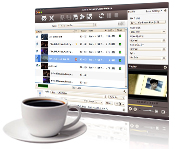
4Media Video Converter for Mac is the ideal video converting tool for Mac users to convert amongst a vast array of standard-definition (SD) video formats and high-definition (HD) formats with splendid quality and super speed. It also empowers you to extract audios from videos and convert audio formats from one to another.
This Mac converter provides ready to use formats for most multimedia devices, making it possible to play movies in any format on any popular multimedia device including iPod, iPhone, iPad, Apple TV, PSP, PS3, Xbox360, Zune, PMPs, Android phones, and mobile phones.
Besides video conversion, 4Media Video Converter for Mac features convenient editing functions that can help you to clip, merge, crop and split videos, as well as add watermarks and soundtrack to the output files. Download and try it now.
Key Functions

Newly support 3D video conversion
4Media Video Converter for Mac is now here to take you into the 3D world. It Converts almost all kind of 2D videos into 3D videos in extremely easy and simple steps. (Note: 3D Glasses and TV are required to view videos in 3D.)

Mac SD & HD Video Converter
Convert among all SD and HD video formats including AVI, MPEG-4, WMV, H.264/AVC, H.265/HEVC, DivX, XviD, RM, MOV, 3GP, FLV, SWF and others to easily enjoy them on iPod, iPhone, iPad2, iPad, Apple TV, PSP, PS3, Xbox360, Zune, PMPs, Wii, NDS, mobile phone, Windows mobile and so on.

Audio Extraction & Audio Conversion
Extract audio from video such as extract MP3 format audio from an AVI video; convert audio format into another from a wide range including MP3, WMA, WAV, RA, M4A, AAC, AC3, OGG, MP2, FLAC, APE.

Create Videos from Pictures
Turn photos of your wedding, birthday party or holidays in JPG, PNG, GIF or BMP format into video slideshows to preserve your precious memories.

Extract Images from Videos
Extract your favorite images from videos and save them as BMP, GIF, JPEG or PNG files with 4Media Mac Video Converter.


System Requirements
Processor | Intel® processor |
OS | 32 bit: Mac OS X v10.6 - 10.14(Mojave) |
RAM | 512MB RAM |
Free Hard Disk | 100MB space for installation |
Graphics Card | Super VGA (800×600) resolution, 16-bit graphics card or higher, OpenGL 1.4 or higher |
Tricks and Tips
Try & Buy
Video Converter for Mac Ultimate |  ($59.99) ($59.99) |  |
Video Converter for Mac Platinum | ($49.99) | |
Video Converter for Mac Standard | ($39.99) | |