



4Media DVD to PS3 Converter Introduction
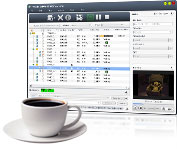
Enjoying your favorite Home DVD movie with PS3 (PlayStation ®3), PS3 Slim is not a hard task any more owning 4Media Home DVD to PS3 Converter. The PS3 Home DVD converter can convert Home DVD to PS3 MPEG-4 video with different resolutions (480p, 720p, and high-definition 1080p) and audios like MP3, M4A and AAC. It's also a PSP Home DVD converter to convert Home DVD to PSP MPEG-4/AVC video.
4Media Home DVD to PS3 Converter comes out as a converter giant because it is the first high-definition Home DVD to PS3 video converter. Moreover, 4Media Home DVD to PS3 Converter offers you more features: split file, select target subtitle, audio and angle, and convert home DVD's any segment with just a few clicks. Various parameters offered by 4Media Home DVD to PS3 Converter are ready for you to choose including frame rate, bit rate, channel, and sample rate.Support for NVIDIA CUDA and ATI Stream technology, up to 5X faster processing performance is delivered.
Get started to experience a new High-Definition lifestyle with PS3 by 4Media Home DVD to PS3 Converter.
Can't rip/convert DVD with copyright.
Key Functions
-

Convert DVD to PS3, PS3 Slim MPEG-4 video
4Media DVD to PS3 Converter can Convert DVD or IFO file to PS3 MPEG-4 video with different resolutions (1080p, 720p, 480p).
-

Convert DVD to MP3, M4A and AAC audios
Besides converting DVD to PS3/PSP video, the DVD to PS3 Converter can also Convert DVD to audios like MP3, M4A and AAC.
-

Act as a DVD to PSP Converter and converter
4Media DVD to PS3 Converter is not only a PS3 DVD Converter, but also a PSP DVD Converter to convert DVD to PSP MPEG-4/AVC video.
-

View DVD cover, check other DVD info in details
Once you insert DVD disc, the DVD to PS3 converter will automatically read and retrieve DVD info from Internet including director, film name, studio, genres, release date, etc.
-

Engined with NVIDIA CUDA and ATI Stream technology
Support for NVIDIA CUDA and ATI Stream technology, up to 5X faster processing performance is delivered.


System Requirements
OS |
Microsoft® Windows 11 / 10 / 8 / 7 / Vista / XP (SP2 or later) |
Processor |
1GHz Intel/AMD processor or above |
RAM |
256MB RAM (512MB or above recommended) |
Free Hard Disk |
100MB space for installation |
Graphics Card |
Super VGA (800×600) resolution, 16-bit graphics card or higher |
Others |
DVD-ROM drive |