


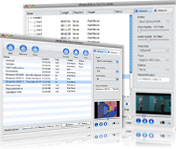
4Media Home DVD to iPhone Converter for Mac and 4Media iPhone Video Converter for Mac constitute this versatile Mac Home DVD to iPhone suite to make your iPhone a mobile cinema. To enlarge your iPhone video and movie library, the Home DVD to iPhone converter for Mac can convertDVD to iPhone video MP4/MPEG-4 and audio M4A, MP3, and the iPhone video converter for Mac can convert all popular video and audio files like AVI, MPEG, WMV, MOV, VOB, AAC, AC3 to iPhone video and audio.
The Mac Home DVD to iPhone converter and Mac iPhone video converter allow you to convert certain segment, split a large file into small ones by given size or time, adjust output file size by setting bit rate, and adjust more parameters like video size, frame rate, etc. to get custom iPhone video.
Colorize your iPhone by converting videos and Home DVD movies to iPhone with 4Media Home DVD to iPhone Suite for Mac now, and enjoy the funniest iPhone movie journey.
This pack can't rip/convert DVD with copyright.
Key Functions
-

Mac DVD to iPhone video converter - convert/convert DVD to iPhone video
Convert DVD to iPhone MP4/MPEG-4 video files with different resolutions for enjoying movies on iPhone while travelling.
-

Mac DVD to iPhone audio converter - convert/convert DVD to iPhone audio
Extract background music and dialogue from DVD movie as iPhone MP3, M4A, WAV music files.
-

Mac iPhone video converter - convert video to iPhone video
Any video files like AVI, MPEG, WMV, MP4, MOV, M4V, VOB, ASF, 3GP, 3G2, QT, YUV, DAT can be played on iPhone once you convert them to iPhone MP4/MPEG-4.
-

Mac iPhone audio converter - convert video/audio to iPhone audio
Extract iPhone MP3, M4A, WAV audio from these video files, or convert MP3, WMA, AAC, WAV, M4A, AC3, MP2, AU audio format to iPhone music.


System Requirements
Processor |
PowerPC® G4/G5 or Intel® processor |
OS |
Mac OS X v10.6 - 10.14(Mojave) |
RAM |
512MB RAM |
Free Hard Disk |
50MB space for installation |
Graphics Card |
Super VGA (800×600) resolution, 16-bit graphics card or higher |
Others |
DVD-ROM drive |